
Sep 1, 2026Compressed Air Problems
Why Is There Water in My CNC Compressed Air Line?
Find out why water reaches CNC compressed air lines, how it affects pneumatic components and how dryers, drains and point-of-use separators solve it.
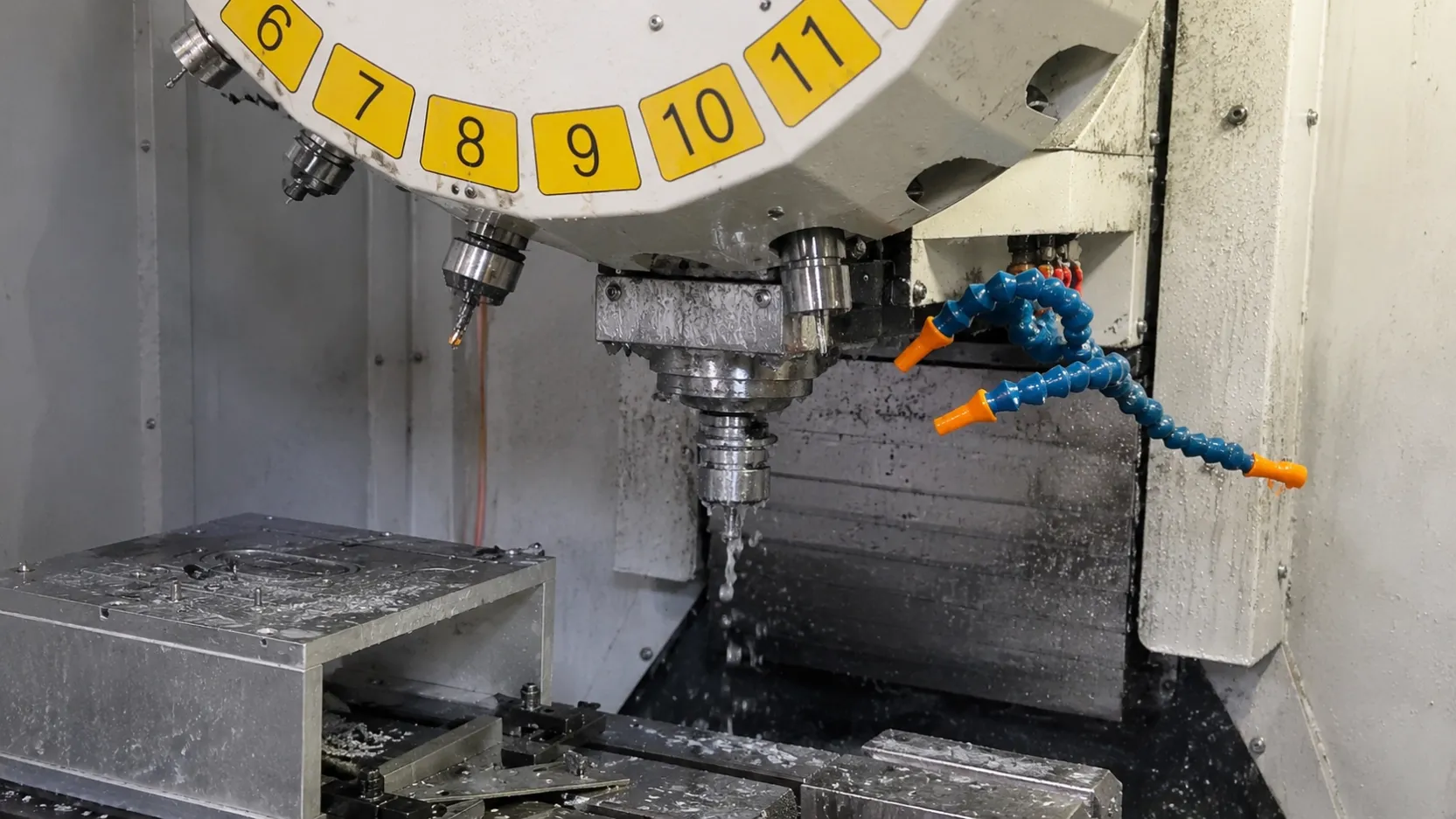
Water at a CNC machine inlet is a common problem. Typical signs include:
- Water dripping from the machine air inlet
- Filters filling with liquid too quickly
- Pneumatic valves sticking
- Cylinders moving inconsistently
- Tool-change or clamping alarms
- Water coming from blow-off nozzles
This does not always mean that the air compressor has failed. Condensate forms naturally when compressed air cools.
However, liquid water reaching the CNC machine should not be considered acceptable. It usually means that the air-treatment system, drainage arrangement or point-of-use protection needs improvement.
Why Does Compressed Air Produce Water?
Ambient air always contains water vapor. The amount depends mainly on temperature and relative humidity.
The formation of condensate can be explained in three stages.
1. The Compressor Draws In Humid Air
Warm and humid air carries more water vapor than cool, dry air. During rainy seasons or in poorly ventilated workshops, the compressor may draw in a much higher moisture load.
2. Compression Raises the Temperature
The compressor reduces the air volume and increases its pressure. The air temperature rises during compression, allowing much of the moisture to remain temporarily as water vapor.
3. Cooling Produces Liquid Water
After compression, the air passes through the aftercooler, receiver tank, dryer and distribution pipe.
As the air cools, its capacity to hold water vapor decreases. Once the temperature falls below the pressure dew point, part of the vapor condenses into liquid water.
This is similar to water droplets forming on the outside of a cold bottle, although condensation inside a compressed air system occurs under pressure.
Water Vapor and Liquid Water Are Different
This distinction is essential when selecting compressed air-treatment equipment.
Water vapor
Water vapor is moisture in gas form. It cannot be removed effectively by a normal particulate or coalescing filter.
A compressed air dryer is used to reduce water vapor and control the pressure dew point.
Liquid water
Liquid water has already condensed inside the cooler, receiver, filter or pipeline.
It can be removed by:
- Moisture separators
- Automatic condensate drains
- Coalescing filters
- Pipeline drain points
- Point-of-use liquid separators
A point-of-use separator removes liquid contamination. It does not replace a dryer when low pressure dew point is required.
Six Reasons Water Reaches a CNC Machine
1. High Ambient Humidity
During humid weather, the compressor draws in more water vapor. This increases the condensate load on the aftercooler, receiver, dryer, filters and drains.
A system that performs adequately during dry weather may experience liquid carryover during rainy or hot, humid periods.
2. The Air Dryer Is Missing, Undersized or Overloaded
Dryer performance depends on actual operating conditions, including:
- Inlet temperature
- Ambient temperature
- Airflow
- Working pressure
- Cooling conditions
- Maintenance condition
If the actual airflow or inlet temperature exceeds the dryer rating, the outlet pressure dew point may rise.
Dirty heat exchangers, poor ventilation and cooling-system problems can also reduce dryer performance.
3. The Pipeline Becomes Colder Than the Pressure Dew Point
Even when the dryer is operating, condensate can form again if the downstream pipe becomes colder than the delivered pressure dew point.
This may happen in:
- Cold workshops
- Outdoor pipelines
- Underground pipes
- Air-conditioned production areas
- Long distribution systems
- Pipes exposed to large day-and-night temperature changes
For example, compressed air with a pressure dew point of +3°C should not normally form water while every downstream surface remains above +3°C. If part of the pipe becomes colder, however, condensation may occur.
4. Automatic Drains Are Blocked or Incorrectly Adjusted
Condensate must be discharged from:
- Aftercooler separators
- Air receiver tanks
- Refrigerated dryers
- Compressed air filters
- Pipeline low points
A timer light or controller display does not prove that the drain is working. Rust, oil sludge and particles may block the inlet or valve.
If a drain fails, accumulated liquid may be carried back into the airflow and pushed toward the CNC machine.
5. Pipeline Layout Allows Water to Collect
Poorly designed compressed air piping can create locations where liquid accumulates.
Common problems include:
- Incorrect pipe slope
- Missing low-point drains
- Air outlets taken from the bottom of the main pipe
- Dead legs
- Undersized pipelines
- Long flexible hoses
- Sudden changes in pipe diameter
When air demand increases, collected water may be carried downstream in a large quantity.
6. Peak Air Demand Is Higher Than Expected
A CNC machine may use relatively little air on average but require high instantaneous flow during:
- Tool changes
- Simultaneous clamping
- Door operation
- Spindle cleaning
- Part blow-off
High peak flow can increase pressure drop and carry accumulated liquid through the pipe.
The pressure shown in the compressor room may therefore be normal while the pressure at the machine inlet falls during operation.
How Water Affects CNC Pneumatic Systems
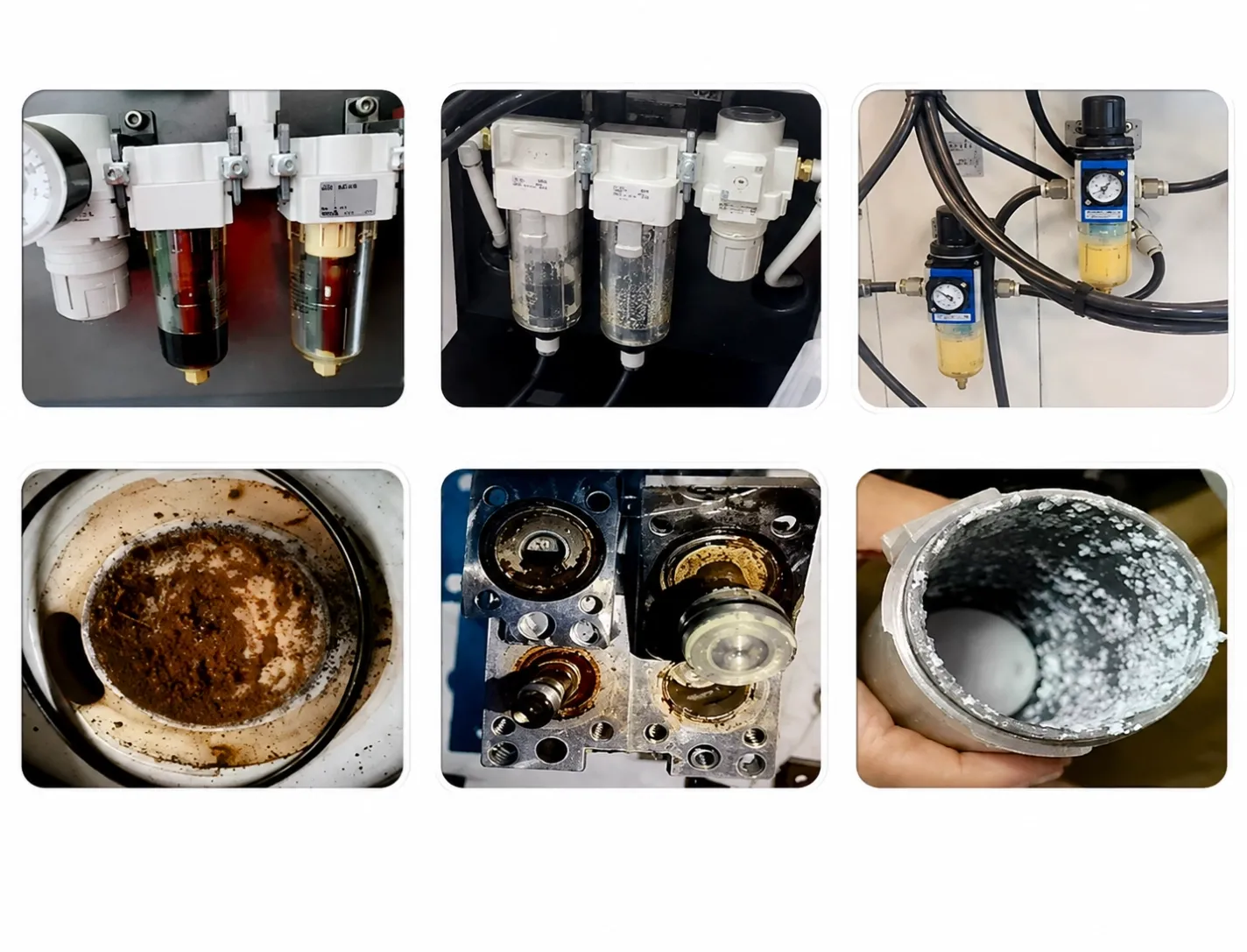
Condensate is rarely clean water. It may contain compressor oil, pipe rust, dust and other contaminants.
Valve and Cylinder Problems
Liquid and particles can interfere with solenoid valves, pneumatic cylinders and small internal passages. This may cause slow movement, sticking or inconsistent operation.
Unstable Clamping and Tool Changing
Insufficient pressure or contaminated air may affect pneumatic clamps, tool changers and air-cleaning nozzles.
Not every clamping or tool-change fault is caused by water, but the air supply should be checked before replacing expensive components.
Corrosion
Water and contamination can promote corrosion inside metal pipes, valves and pneumatic components. Corrosion then creates additional particles that move farther downstream.
More Maintenance and Downtime
Intermittent pneumatic faults can be difficult to reproduce. The machine may operate normally while idle but fail when several pneumatic functions operate at the same time.
How to Find the Source of Water
Step 1: Inspect the Liquid
Check whether the discharge is:
- Clear water
- An oil-and-water mixture
- Rust-colored liquid
- Water containing visible particles
The appearance can help identify condensation, oil carryover or pipeline corrosion.
Step 2: Check Every Automatic Drain
Inspect the drains on the receiver, dryer, filters and moisture separators.
Confirm that liquid is actually discharged. Also check for continuous air leakage, which may indicate an incorrectly adjusted timer or a damaged valve seal.
Step 3: Check the Dryer
Compare the actual airflow, inlet temperature, ambient temperature and working pressure with the dryer’s rated conditions.
If possible, measure the pressure dew point instead of judging dryer performance only by its display or operating sound.
Step 4: Compare Dew Point With Pipe Temperature
Find the coldest section of the downstream pipe.
If the pipe temperature approaches or falls below the pressure dew point, water may condense again after the dryer.
Step 5: Measure Pressure at the CNC While It Is Working
Measure pressure at the machine inlet during tool changes, clamping and blow-off.
An idle pressure reading does not show what happens during peak demand.
Step 6: Inspect the Pipeline
Check pipe slope, low points, branch connections, drain locations and hose condition.
A Layered Solution for CNC Compressed Air
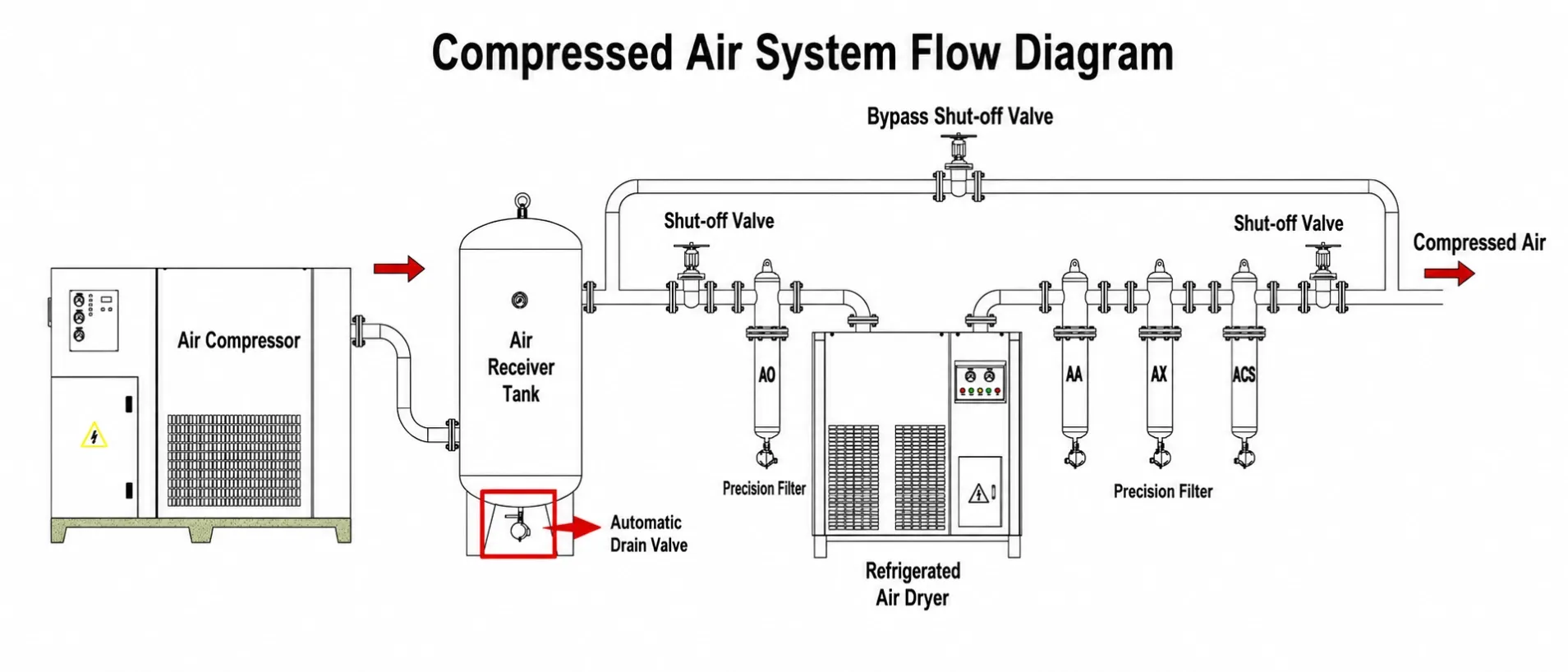
A reliable CNC air supply normally uses several treatment stages.
Stage 1: Remove Bulk Condensate
The aftercooler, centrifugal separator and air receiver remove and collect a large part of the liquid water.
Each collection point needs a reliable automatic drain.
Possible drain options include:
- Electronic timer drains
- Mechanical drains
- Pneumatic automatic drains
- Electronic level-controlled zero-loss drains
The correct choice depends on condensate volume, contamination, operating pressure and energy requirements.
Stage 2: Reduce Water Vapor
A refrigerated or adsorption dryer controls the pressure dew point.
Refrigerated dryers are commonly used for general industrial compressed air. Applications with colder pipelines or stricter moisture requirements may require a lower pressure dew point.
The dryer should be selected according to the CNC manufacturer’s air-quality requirement and the actual site conditions.
Stage 3: Remove Aerosols and Particles
Pre-filters and coalescing filters help remove particles and liquid aerosols.
Filters should be installed in the correct sequence and maintained according to the manufacturer’s instructions.
Filters do not replace a dryer because they cannot control water vapor.
Stage 4: Protect the CNC at the Point of Use
Liquid may still form or collect after central treatment, especially in long pipelines or changing temperatures.
An end-of-line precision air separator can be installed close to the CNC inlet as a final protection stage.
It is designed to remove:
- Liquid water
- Oil droplets
- Solid particles
It does not remove water vapor. If pressure dew point control is required, it should be used together with a suitable central dryer.
Where Should a Point-of-Use Separator Be Installed?
Install it as close to the CNC machine inlet as practical, after the central dryer and main filtration system.
Keep the downstream connection short to reduce the possibility of new liquid collecting between the separator and the machine.
The separator must also remain accessible for drain inspection and maintenance.
Need Help Solving Water Problems at the CNC Inlet?
ENHUI TECH supplies automatic condensate drains and end-of-line precision air separators for CNC machines, CMMs and industrial automation equipment.
Our point-of-use precision air separator operates without electricity or replaceable filter elements and provides final protection against liquid water, oil droplets and particles.